THE TEACHER’S VIDEO LIBRARY
Learn ActivityLock,step by step.
Upload a PDF or create your own questions. Choose Locked or Unlocked Mode, share with students, follow their work live, and review answers with AI-assisted marking.
Real app walkthroughsOptional English captions
A GOOD PLACE TO START2:11
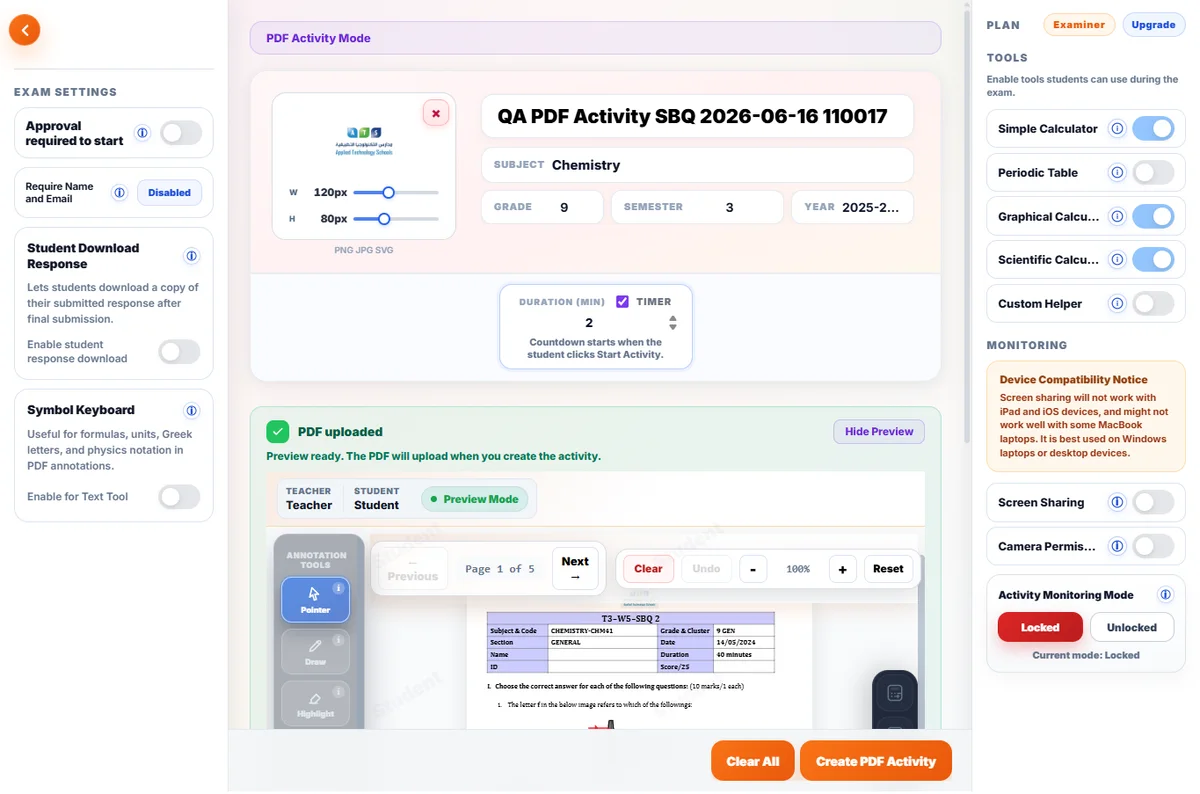 Inside ActivityLock
CREATE & CONFIGURE
Turn your PDF into a classroom activity.
START WITH A QUESTION
What would you like to do?
WATCH. TRY. TEACH.
A guide for the task at hand.
Short, focused walkthroughs. Choose a topic or find the question on your mind.
Loading the video library…
No guide matches yet.
Try a different word or reset the filters.
Every guide has English narration and optional English captions. Watch without an account, then return to your class when you’re ready.
PUT IT INTO PRACTICE
Try your first activity.
Start with a worksheet you already use or build a short quiz.